
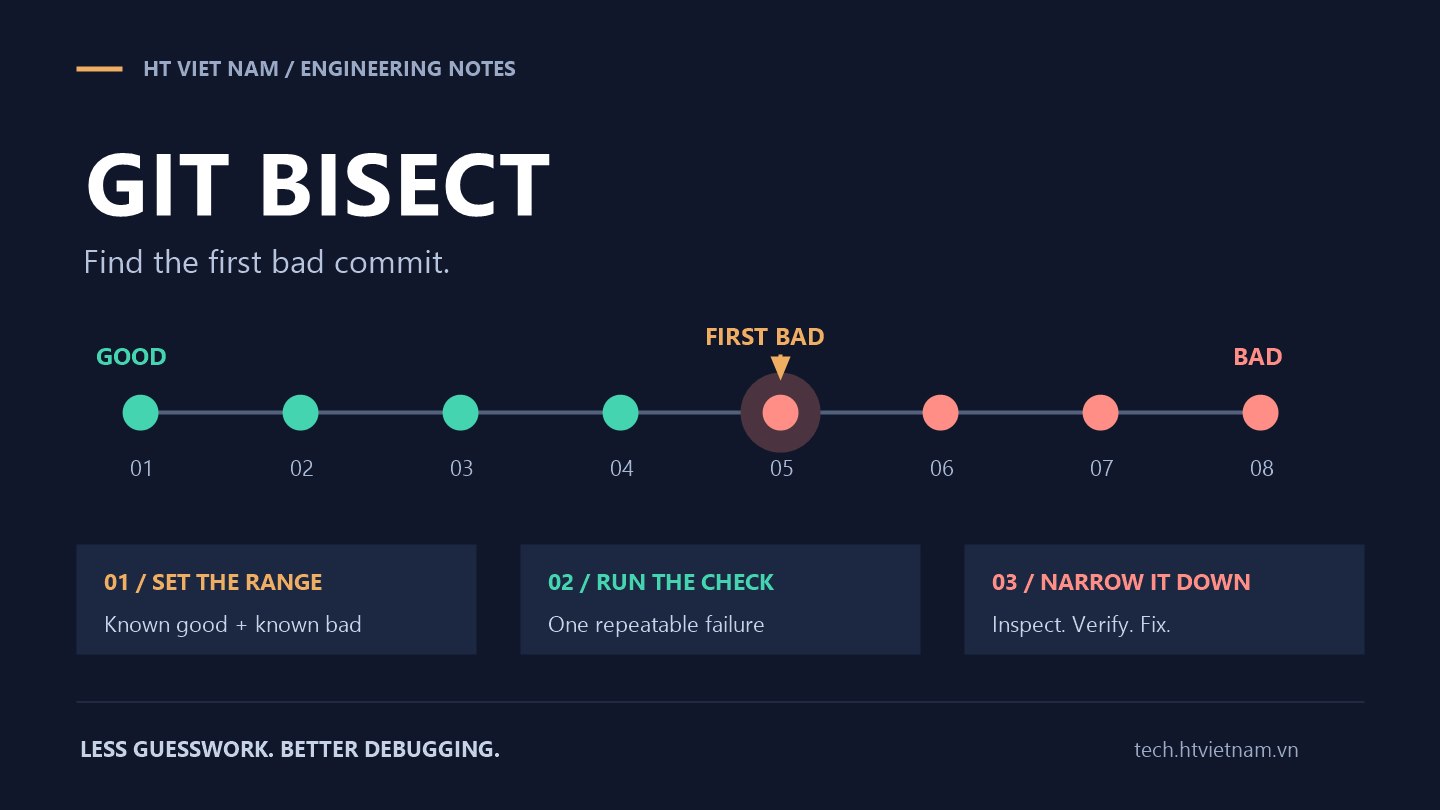
A discount feature worked in the previous release but calculates the wrong amount today, after dozens of new commits. Reading every change takes time. Git bisect narrows the history to investigate using one revision verified to work and another verified to reproduce the bug.
1. What problem does bisect solve?
Git selects intermediate commits for you to test and classify. This reduces the number of checks compared with walking through history sequentially. A linear history with 64 candidates and a clear good-to-bad boundary typically takes about six classifications to narrow down the suspect. Actual steps depend on history topology and skipped revisions. See Pro Git: Debugging with Git.
Start by defining one specific failure. Here, apply_discount(100, 20) must return 80. A different result is the regression under investigation; a network failure in the test environment is not evidence of the same problem.
2. Prepare the endpoints and test environment
Run the same check at both endpoints before beginning. Do not call an old release good merely because nobody reported a bug. For intermittent failures, first stabilize the check by fixing its inputs, runtime and necessary dependencies.
A separate worktree can isolate the investigation from ongoing edits. The names main, v1.8.0 and the following directory are examples; replace them with verified revisions and an unused path for your project:
git worktree add --detach ../bisect-lab main
cd ../bisect-lab
git status --short
A linked worktree has its own working directory and index while sharing the Git repository. Confirm it is clean before switching versions. Build tools, test databases and dependent services still need separate setup. See the git worktree documentation.
3. Find the regression manually
Assume HEAD in this worktree reproduces the bug and tag v1.8.0 passed the check:
git bisect start
git bisect bad HEAD
git bisect good v1.8.0
Git checks out a candidate. Run the discount check, then enter exactly one classification:
git bisect good
# Or, if it reproduces the specific regression:
git bisect bad
Repeat until Git identifies the first bad commit. Save the investigation log and result outside the worktree before ending the session:
git bisect log > ../bisect-discount.log
git rev-parse refs/bisect/bad > ../bisect-discount-commit.txt
git bisect reset
git bisect reset ends the session and returns to its starting position. It does not undo the buggy commit on your main branch. The basic workflow is documented in the git bisect manual.
4. Automate a small, focused check
If every iteration repeats the same procedure, script it. This example assumes a root-level pricing.py file containing a pure function named apply_discount(price, percent). It checks one discount case, not the application's entire behavior.
Save this as ../check_discount.py, outside the worktree so switching revisions cannot remove it:
from pathlib import Path
import importlib.util
import sys

path = Path("pricing.py")
if not path.is_file():
    sys.exit(125)

try:
    spec = importlib.util.spec_from_file_location("pricing", path)
    pricing = importlib.util.module_from_spec(spec)
    spec.loader.exec_module(pricing)
    if not hasattr(pricing, "apply_discount"):
        sys.exit(125)
    result = pricing.apply_discount(100, 20)
except Exception as error:
    print(f"Cannot classify this revision: {error}", file=sys.stderr)
    sys.exit(128)

sys.exit(0 if result == 80 else 1)
The script loads a source file using Python's importlib. Because this investigation concerns an incorrect numeric result, an unexpected exception stops it for inspection instead of automatically becoming a bad classification.
After confirming that the script returns 0 at the good endpoint and 1 at the bad endpoint, start a new session from the worktree:
git bisect start HEAD v1.8.0
git bisect run python3 -B ../check_discount.py
git bisect log > ../bisect-discount.log
git rev-parse refs/bisect/bad > ../bisect-discount-commit.txt
git bisect reset
This assumes Python 3 is available as python3. On Windows, use py -3 if Python Launcher is installed. The -B option avoids writing bytecode caches in this example. Treat the result as conclusive only when Git reports success; an aborted script or ambiguous skipped range is not a completed diagnosis.
5. Understand exit codes first
| Exit code | Meaning to git bisect run |
|---|---|
| 0 | Good: the check passes. |
| 1–127, except 125 | Bad: the check fails. |
| 125 | Skip: this revision cannot be classified. |
| 128 or higher | Abort the automated run. |
Pay particular attention to 126 and 127: a command-execution problem can be classified as bad. Verify your interpreter and script path first. In a manual session, use git bisect skip for untestable revisions, but skips near the boundary may leave several candidates. See the automation and skip sections of the Git manual.
6. Confirm the cause before fixing it
The resulting commit is evidence for your chosen check, not a substitute for root-cause analysis. Read its diff with git show COMMIT_SHA, retest the commit and its predecessor in your test environment, and add a regression test to the project. Replace COMMIT_SHA with the saved identifier; the git show reference explains how to inspect the associated change.
If the bug was fixed and later reintroduced, the result may not represent its earliest appearance across all history. Narrow the interval to a clear transition. For a merge commit, inspect relevant branches and parents rather than assuming one simple diff explains the whole failure.
7. A team checklist
- One specific, repeatable failure criterion.
- Good and bad endpoints verified with the same check.
- A clean worktree and a test environment isolated from production.
- An external test script with intentional exit codes.
- Saved logs, the identified commit and reproduction conditions.
- Confirmed root cause and a regression test before the fix enters review.
Git bisect turns “which change broke this feature?” into a systematic investigation. A small, reliable check often narrows the search much faster than guessing from dozens of commit messages.




No comments yet. Be the first to share your thoughts.