
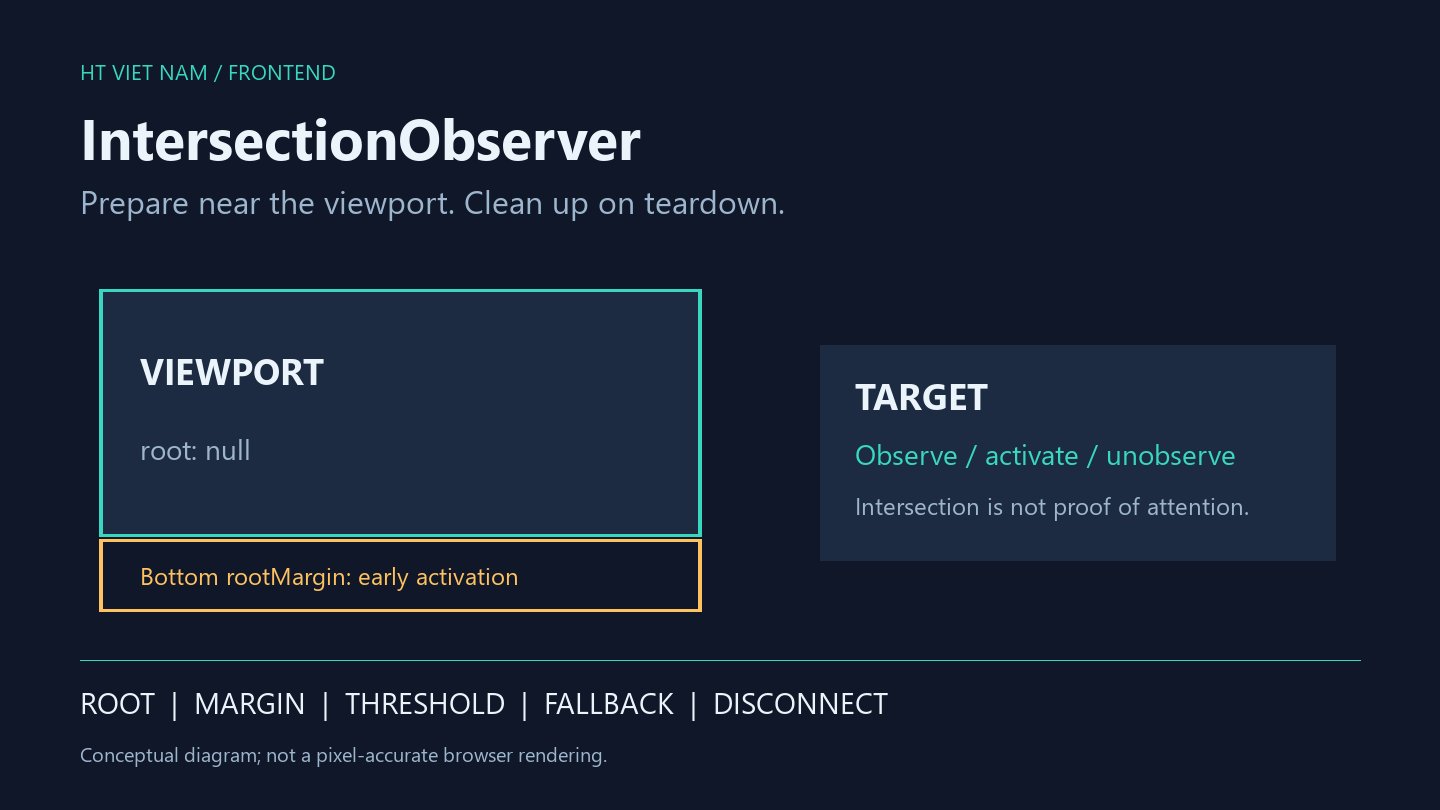
A page with many cards does not need to initialize every optional enhancement immediately. It can wait until a target approaches the viewport. IntersectionObserver supplies intersection notifications instead of requiring position measurements in every scroll event.
This article presents a one-time activation pattern. The example only marks card state; it makes no network requests. Integration requires testing on the actual browser and layout.
1. Understand what the signal means
MDN Intersection Observer API describes asynchronous notifications about a target's intersection with its root or viewport. An initial entry can arrive after observation starts.
Intersection does not prove that a person read the content. A target near the viewport, covered by another layer or briefly passed during scrolling is not automatically an attention measurement. Advertising-view metrics need their own definition and validation.
2. Choose root, rootMargin and threshold intentionally
| Option | Meaning | Decision |
|---|---|---|
| root | The reference region; null uses the viewport | A document differs from a scrolling panel |
| rootMargin | Expands or shrinks the calculation region | A bottom margin can prepare content earlier |
| threshold | Intersection-ratio thresholds for notifications | 0 signals initial intersection, not every pixel of movement |
A margin of '0px 0px 200px 0px' extends the bottom by 200 pixels, potentially activating an offscreen target. Tune that illustrative value to loading time and user experience.
A threshold of 1 may never be reached when the target exceeds its container. Consider element dimensions before requiring full intersection. The W3C specification defines the intersection and notification model.
3. A one-time pattern with teardown
function watchNearViewport(targets, activate) {
  const pending = new Set(targets);
  if (!('IntersectionObserver' in window)) {
    pending.forEach(activate);
    return () => {};
  }

  let stopped = false;
  const observer = new IntersectionObserver((entries) => {
    if (stopped) return;
    for (const entry of entries) {
      if (!entry.isIntersecting || !pending.delete(entry.target)) continue;
      observer.unobserve(entry.target);
      activate(entry.target);
    }
  }, {
    root: null,
    rootMargin: '0px 0px 200px 0px',
    threshold: 0,
  });

  pending.forEach((target) => observer.observe(target));
  return () => {
    stopped = true;
    pending.clear();
    observer.disconnect();
  };
}
The function receives a fixed target collection and a synchronous, nonthrowing activation callback. The pending set prevents duplicate entries from activating the same target twice. Check isIntersecting rather than assuming every callback means entry into the region.
Observation stops before activation. If activation instead starts a fallible network operation, add loading/error states, retries and concurrency control. This is not a complete data loader.
4. Register after the DOM exists
const stopWatching = watchNearViewport(
  document.querySelectorAll('[data-card]'),
  (card) => { card.dataset.nearViewport = 'true'; },
);

// Call stopWatching() during component or route teardown.
Run this in a module/deferred script or after the target DOM exists. querySelectorAll captures the current set; dynamically added cards need an appropriate registration lifecycle.
disconnect() stops observation. It does not cancel an already started request, timer or unrelated listener. Clean up those resources separately.
5. Preserve a usable baseline
Main content and links should work when JavaScript fails or the API is unavailable. The example's fallback activates immediately, but it does not replace usable initial HTML.
Do not hide essential content behind observer activation. Respect reduced-motion preferences for animation and reserve layout space for added content. For ordinary images, consider whether native loading='lazy' already satisfies the requirement.
6. Browser verification checklist
- Targets initially inside the viewport are processed.
- Outside targets wait until the condition is met.
- Scrolling back and forth does not repeat one-time activation.
- Scrolling panels use the right root; mobile layouts are checked.
- Route and component teardown invoke cleanup.
- Dynamic targets have a registration plan.
- Main content remains usable without the enhancement.
- Callback work is measured; an observer does not make expensive computation free.
The example received a JavaScript syntax check, not a browser integration test or performance benchmark. Measure before and after on the real page, including slower devices and networks.
Use IntersectionObserver for threshold-based intersection signals. Correct root selection, small callbacks and explicit lifecycle management matter more than attaching observers everywhere.
No comments yet. Be the first to share your thoughts.