
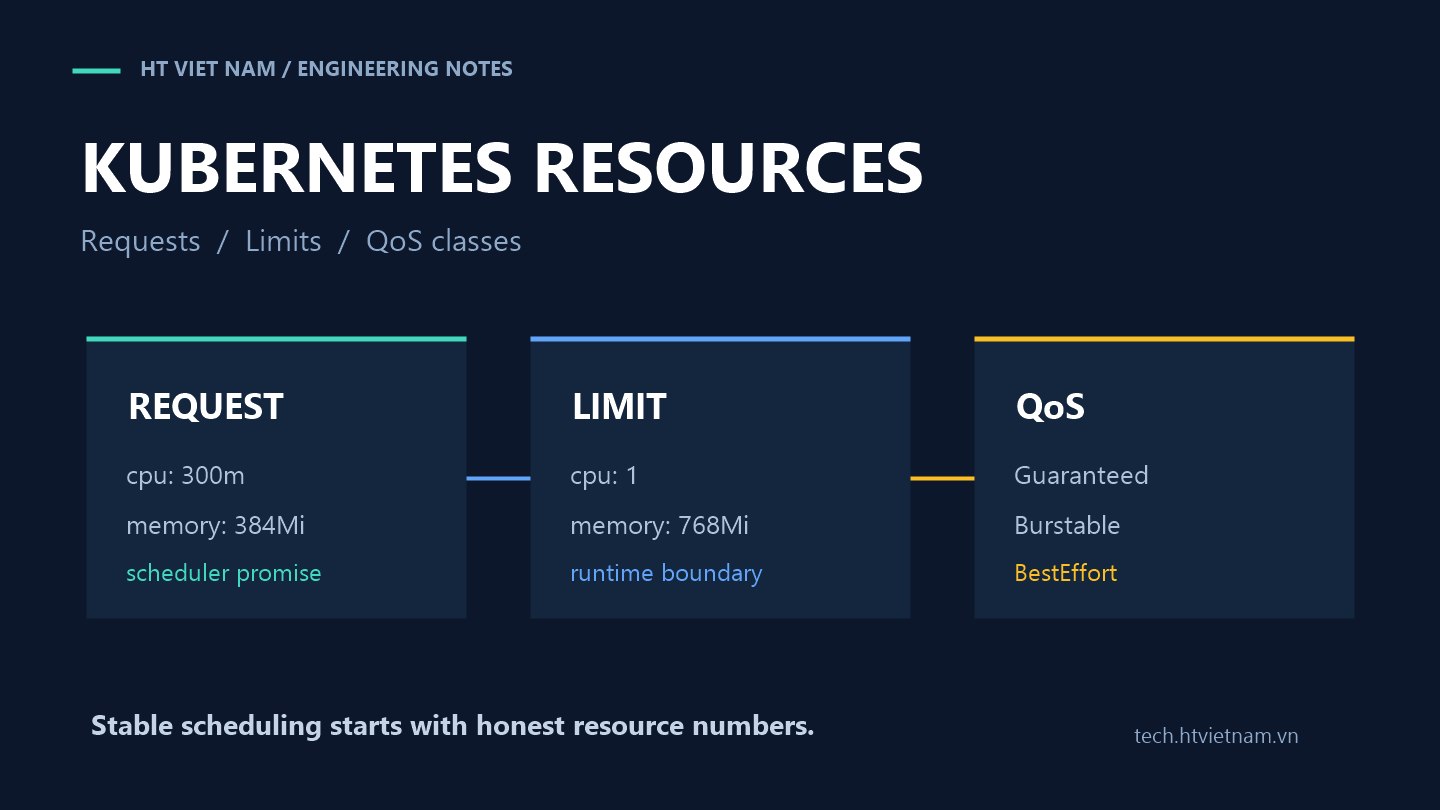
In Kubernetes, resources are not just about “how much CPU and RAM a pod needs.” Requests influence where the scheduler places a pod, limits define how far a container may go, and QoS class affects which pods are evicted first when a node is under pressure. Set them too low and applications compete for resources; set them too high and the cluster wastes capacity while pods become harder to schedule.
1. Request is a reservation, limit is a fence
For each container, Kubernetes lets you define resources.requests and resources.limits for CPU, memory and some other resources. The Kubernetes documentation describes CPU and memory as compute resources that can be requested, allocated and consumed; a pod's request or limit is the sum of its containers. See Resource Management for Pods and Containers.
resources:
  requests:
    cpu: "250m"
    memory: "256Mi"
  limits:
    cpu: "1"
    memory: "512Mi"
This example says the container reserves 0.25 CPU and 256 MiB RAM, but it may burst up to 1 CPU and is capped at 512 MiB memory. The scheduler uses requests to choose a node; the runtime uses limits to control usage.
2. CPU request is not the same as CPU limit
CPU in Kubernetes is measured as an absolute unit. 100m means 0.1 CPU; 500m means half a CPU. Kubernetes says a container requesting 0.5 CPU is guaranteed half as much CPU time as one requesting 1 CPU, assuming suitable node capacity. See Assign CPU Resources to Containers and Pods.
CPU limit is the ceiling. If an application tries to use more than the limit, it may be throttled rather than killed. That differs from memory: CPU often slows down when constrained, while memory above the limit can cause OOM kill. For latency-sensitive backends, a low CPU limit can create poor p95/p99 latency even when average CPU does not look high.
3. Memory limit is a harder boundary
Memory request helps the scheduler reserve RAM. Memory limit caps how much the container may use. Kubernetes memory documentation says a container is guaranteed the amount it requests but is not allowed to use more than its limit. See Assign Memory Resources to Containers and Pods.
If a backend has a heap, in-process cache or large file processing, memory limit must include overhead beyond business data. For JVM, Node.js, PHP-FPM or Go services, measure real RSS under production-like load and set request/limit from evidence instead of guessing from a development machine.
4. QoS class affects eviction
Kubernetes assigns each pod a QoS class: Guaranteed, Burstable or BestEffort. When a node runs short of resources, Kubernetes uses this classification to influence eviction. The documentation says BestEffort pods are evicted first, followed by Burstable and finally Guaranteed. See Pod Quality of Service Classes.
- Guaranteed: every container has CPU/memory request equal to limit.
- Burstable: at least one request or limit exists, but the pod is not Guaranteed.
- BestEffort: no CPU/memory requests or limits are set.
Not every workload needs Guaranteed. Many backends fit Burstable well: realistic requests for stable scheduling and wider limits for controlled bursts. BestEffort for an important service is usually a missing configuration signal.
5. Why copying one config across services is risky
A cache-heavy API differs from an image-processing worker. A bursty cron job differs from a steady request service. Copying cpu: 500m and memory: 512Mi everywhere feels standardized, but it hides each workload's behavior.
Ask three questions: how much resource does the service need normally, how much burst does it need under load, and what happens if it slows down or restarts? User-facing endpoints need stronger requests; batch jobs may tolerate slower execution; idempotent workers may restart more safely than APIs holding user connections.
6. A practical Deployment example
apiVersion: apps/v1
kind: Deployment
metadata:
  name: checkout-api
spec:
  replicas: 3
  selector:
    matchLabels:
      app: checkout-api
  template:
    metadata:
      labels:
        app: checkout-api
    spec:
      containers:
        - name: app
          image: example.com/checkout-api:2026.09.21
          ports:
            - containerPort: 8080
          resources:
            requests:
              cpu: "300m"
              memory: "384Mi"
            limits:
              cpu: "1"
              memory: "768Mi"
These are not universal numbers. The main idea is that requests reflect what the service needs to run steadily, while limits allow burst but protect the node from a runaway container.
7. Wrong limits can create subtle incidents
A CPU limit that is too low can throttle the app exactly when traffic rises, increasing latency until readiness starts failing. A memory limit that is too tight can kill the pod before GC catches up or while caches warm. Requests that are too high leave pods Pending even when there is unused node capacity; requests that are too low overcommit nodes and make important workloads fight for resources.
Do not only check whether a pod is Running. Watch throttling, OOMKilled events, restart count, latency, memory working set, RSS and node saturation. If autoscaling is enabled, requests also influence how HPA calculates utilization, so incorrect resource settings can produce incorrect scaling behavior.
8. A safer rollout path for requests and limits
- Start with real measurements: CPU, memory, latency and restarts during peak hours.
- Set requests near what the service needs for stable operation, not rare peaks.
- Set memory limits above the working set and watch OOMKilled after deployment.
- Be careful with CPU limits for low-latency services; measure throttling before tightening.
- Classify workloads: API, worker, cron, queue consumer and batch jobs should not share one template.
- Use namespace defaults or policy to avoid accidental BestEffort pods.
- Review periodically because traffic, code and dependencies change over time.
Good requests and limits do not magically make a system fast. They help Kubernetes make better decisions: where a pod should run, which pods are protected under node pressure and which workloads may burst within reasonable boundaries. For production backends, that small foundation has a large effect on stability.




No comments yet. Be the first to share your thoughts.