
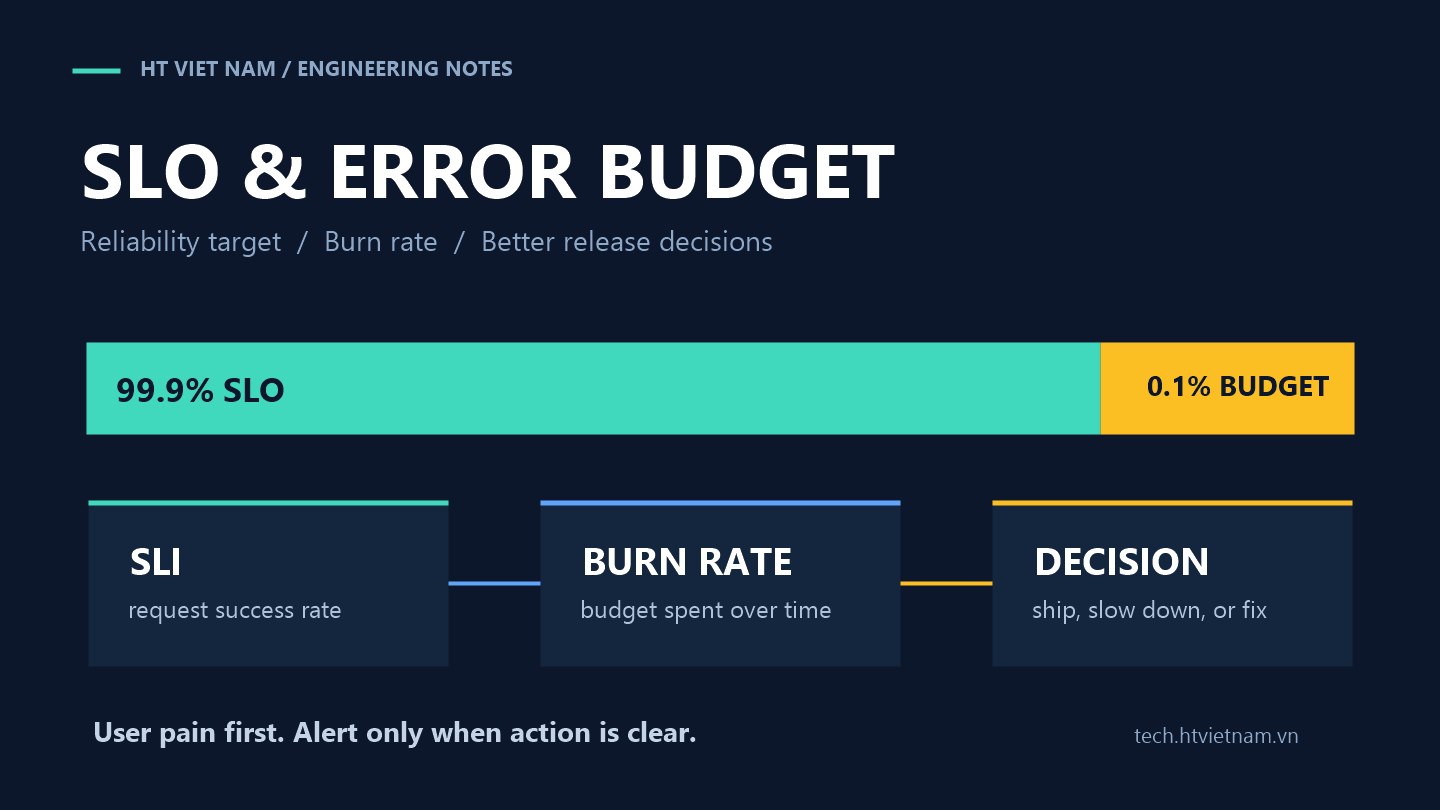
“Is the system healthy?” sounds simple, but it is easy to answer with intuition instead of evidence. A green dashboard does not guarantee users are happy, and a few isolated errors do not always justify waking the whole team. SLOs and error budgets turn that feeling into a measurable decision tool: when to keep shipping features and when to focus on stability.
1. An SLO is a measurable internal promise
SLO stands for Service Level Objective. It is a reliability target for a service over a time window. Examples include “99.9% of checkout requests succeed over 28 days” or “95% of search requests return within 300 ms.” A good SLO maps to user experience, can be measured with real data and is simple enough for the team to share.
Do not start with every metric you already collect. Start from important user journeys: login, order placement, payment, invoice generation or notification delivery. Each journey needs one or more SLIs, or Service Level Indicators, to measure actual quality.
2. Error budget is the amount of failure you can spend
Error budget is the remaining allowance after the SLO target. The Google SRE Workbook explains it directly: an error budget is 1 minus the SLO; a 99.9% SLO leaves a 0.1% error budget. With 1,000,000 requests over four weeks, that budget allows 1,000 errors. See Error Budget Policy for Service Reliability.
The useful part is that error budget does not pretend a system must be perfect. A 100% reliable service is often too expensive, slows change and still may not be realistic. The budget lets teams balance product change with the level of stability users actually need.
3. Choose SLIs based on symptoms users feel
For backend APIs, three SLI groups are a good starting point:
- Availability: the percentage of successful requests, often excluding invalid client input.
- Latency: the percentage of requests completed under a threshold, such as p95 below 300 ms.
- Correctness: whether work returns the right result or a job finishes within its deadline.
Prometheus recommends alerting on symptoms tied to user pain, such as high latency and error rates as high in the stack as possible, instead of every small technical cause. See Prometheus alerting practices.
4. Example SLO for a checkout API
Suppose a checkout API receives 2,000,000 requests in 28 days. The team sets a 99.9% availability SLO for valid requests. The error budget for the period is:
2,000,000 * (1 - 0.999) = 2,000 allowed failed requestsIf 1,400 failed requests already happened in the first week, the team has spent 70% of the budget while only 25% of the window has passed. That is much clearer than saying “we had quite a few errors this week.” The team can slow risky rollouts, prioritize checkout fixes or increase monitoring around the dependency causing failures.
5. Alert on budget burn rate
A good alert does not only ask “are there errors right now?” It asks “if errors continue at this pace, will we spend the budget too quickly?” A two-minute spike may not need a page if it recovers and consumes little budget. A low but steady failure rate can still ruin the month.
Prometheus separates alerting into rules evaluated by Prometheus servers and notification handling in Alertmanager, which manages grouping, inhibition, silencing and delivery channels. See the Prometheus Alerting overview.
# Burn-rate idea only, not a copy-paste rule for every system
error_rate_5m  = failed_requests_5m / total_requests_5m
budget_rate    = 1 - 0.999
burn_rate_5m   = error_rate_5m / budget_rate
High burn rate over a short window calls for quick response. Moderate burn over a long window calls for root-cause work and a more durable fix.
6. SLOs should not become punishment
Error budgets work best as a shared decision mechanism, not a scorecard for blame. If plenty of budget remains, the team can accept controlled rollout risk. If the budget is nearly gone, product and engineering have a clear reason to shift focus toward stability.
The policy should be written in advance: what budget loss requires a postmortem, when rollout slows down and when reliability debt becomes priority work. The Google SRE Workbook gives an example: if one incident consumes more than 20% of a four-week error budget, the team should conduct a postmortem with a high-priority action item.
7. Store SLOs as code so they can be reviewed
SLOs should live near the team's operating workflow, not only in slides. OpenSLO provides a vendor-agnostic YAML specification for describing services, SLIs, SLOs, alert policies and notification targets. Its goal is to define SLOs in a way that is neutral across providers. See OpenSLO and the OpenSLO specification.
apiVersion: openslo/v1
kind: SLO
metadata:
  name: checkout-availability
spec:
  service: checkout
  objectives:
    - displayName: Checkout successful requests
      targetPercent: 99.9
      timeWindow:
        - duration: 28d
      indicator:
        ratioMetric:
          counter: true
          good:
            metricSource:
              metricSourceRef: prometheus
              query: sum(rate(http_requests_total{service="checkout",status!~"5.."}[5m]))
          total:
            metricSource:
              metricSourceRef: prometheus
              query: sum(rate(http_requests_total{service="checkout"}[5m]))
This example illustrates structure only. In a real system, teams must agree how to classify server errors, client errors, gateway timeouts, retries and requests canceled mid-flight.
8. A rollout path for small teams
- Choose one critical flow, such as login or payment.
- Define one availability SLI and one latency SLI using data you already collect.
- Set a realistic SLO, usually slightly below today's best observed performance.
- Create a dashboard showing remaining error budget, burn rate and recent incidents.
- Create alerts only when there is a clear action for the on-call engineer.
- After one or two cycles, adjust the SLO based on data and product expectations.
A good SLO gives the team a shared language: how much users are affected, how much innovation risk remains and which stability work deserves priority. Reliability becomes part of product operations instead of a vague feeling after incidents.




No comments yet. Be the first to share your thoughts.