

Laptops and phones are now entry points to email, customer data, cloud platforms, and internal accounts. When a business cannot identify its devices, their encryption state, or who retained equipment after departure, one lost laptop can become a significant data incident.
What does MDM solve?
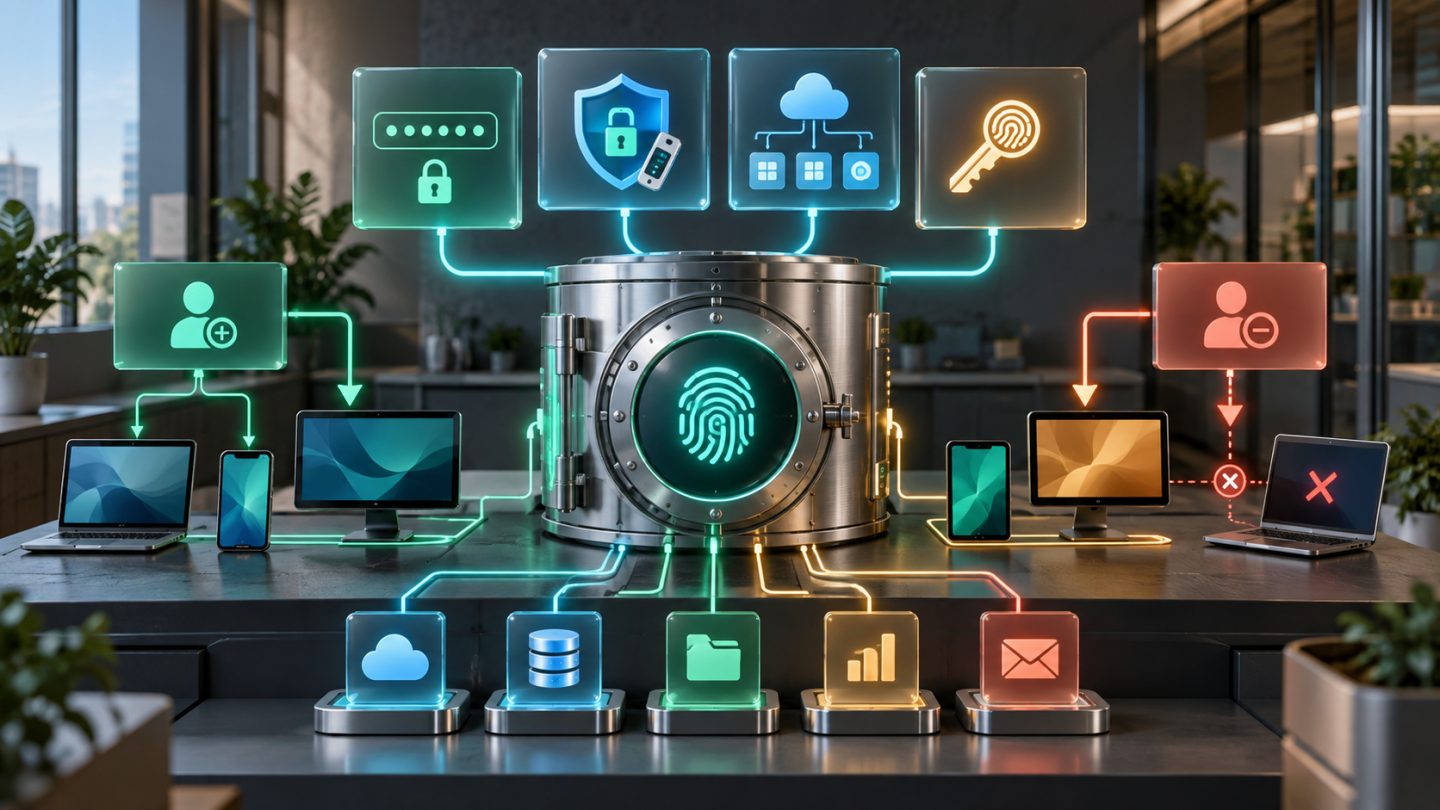
Mobile Device Management and endpoint management platforms enroll devices, deliver configuration, enforce policy, monitor compliance, and perform remote actions. MDM does not replace every security layer; it is the control plane for device state throughout the lifecycle.
A minimum solution should show device owner, OS version, encryption, screen-lock state, last check-in, required applications, and whether the device can be remotely locked or wiped.
Choose an ownership model
| Model | Benefit | Tradeoff |
|---|---|---|
| Corporate-owned | Strongest control over configuration, data, and lifecycle | Higher purchase, inventory, and support cost |
| COPE | Company-owned with limited personal use | Requires a clear personal-data policy |
| BYOD | Lower cost and employee convenience | Less control, privacy concerns, diverse support |
| Application management only | Separates work data on personal devices | Less visibility into overall device state |
Do not impose full-control policy on personal devices without notice. BYOD policy must explain collected data, what can be erased, when action is allowed, and how users can unenroll.
Inventory before deployment
List laptops, desktops, phones, and tablets with serial number, owner, operating system, purchase date, warranty, encryption, and critical applications. Reconcile devices with workforce accounts to identify ownerless assets or devices that still reach cloud systems but no longer appear in inventory.
Group by risk: administrators and finance, customer-data devices, standard employees, contractors, and shared or kiosk devices. Each group can have a different baseline and access level.
Minimum security baseline
- Full-disk encryption with recovery keys escrowed centrally.
- Automatic screen lock, suitable PIN or password, and retry limits.
- MFA or passkeys for business identities.
- Enabled, centrally configured host firewall.
- Deadlines for OS, browser, and application updates.
- Block or flag rooted, jailbroken, and unsupported systems.
- Endpoint protection appropriate to risk.
- Work data backup independent of local storage.
- Local administrator rights only with justification.
Encryption protects data when a device is powered off or properly locked. An unlocked laptop with active cloud sessions remains exposed.
Automate enrollment
Prefer zero-touch or automated enrollment through platform purchasing programs. New devices receive business configuration during setup, reducing the chance that users skip agents or profiles.
Provisioning should bind the asset to its user, validate the baseline, sign in with business identity, install required software, and verify backup. Do not deliver unmanaged devices and plan to add controls weeks later.
Risk-based patch management
NIST frames patching as preventive maintenance: identify, prioritize, install, and verify updates. Use deployment rings:
- Pilot: a representative small group receives updates first.
- Standard: most devices update after pilot stability.
- Critical or exception: specialized devices use an approved window and owner.
Define service levels by severity. Emergency fixes may shorten pilot time; major feature upgrades require testing with VPN, security agents, accounting software, and peripherals. Measure installation success rather than merely issuing a command.
Compliance and conditional access
MDM becomes more valuable when device state influences access. Require enrollment, encryption, supported software, and patch compliance before allowing email or sensitive-data access.
Roll out gradually: report first, warn users next, and block last. Maintain expiring exceptions and emergency access so one incorrect policy cannot lock out the entire organization.
Business applications and data
Maintain an approved application catalog, install required agents automatically, and remove obsolete software. For BYOD, prefer managed applications, work containers, or selective wipe so business data can be removed without deleting personal photos.
Collect no more data than operations require. Limit location, browser history, and personal application inventory according to privacy policy and applicable law. Protect the MDM console with MFA, roles, and audit logs.
Lost or stolen devices
- The employee reports immediately through a published channel.
- IT confirms the asset, user, and last check-in.
- Revoke sessions, tokens, VPN certificates, and related credentials.
- Mark the device lost, lock it, and display contact information when appropriate.
- Remote-wipe after assessing risk and recovery likelihood.
- Preserve evidence and notify legal or customers when required.
- Replace the device and review the cause and policy.
Remote wipe is not guaranteed because a device may remain offline or be tampered with. Encryption, screen lock, and credential revocation remain primary defenses.
Offboarding and device recovery
HR, management, and IT must agree on timing. Disable accounts, revoke sessions, recover devices and accessories, transfer work data, remove management correctly, and update inventory. Before reuse, securely erase, clear activation locks, and confirm enrollment ownership.
Disposal requires media sanitization or destruction, evidence, and asset-register updates. Manually deleting files is insufficient before selling or donating equipment.
Platform selection criteria
- Support for the actual Windows, macOS, iOS, Android, and Linux fleet.
- Integration with directory, SSO, and conditional access.
- Automated enrollment and recovery-key management.
- OS and third-party application patching.
- Selective wipe for BYOD and full wipe for company devices.
- Audit logs, role-based access, APIs, and data export.
- Actionable compliance reporting.
- Device or user licensing plus operational and support cost.
- An export, unenrollment, and provider migration path.
A 30-day rollout
- Week 1: inventory, ownership model, and baseline.
- Week 2: pilot with 5-10 representative devices without access blocking.
- Week 3: deploy by group, escrow recovery keys, and enable patch rings.
- Week 4: test lost-device response, selective wipe, offboarding, and policy rollback.
Start with devices that access email, cloud platforms, and customer data. Do not try to manage every specialized or IoT device in the first phase.
Operational metrics
- Percentage of managed devices with assigned owners.
- Encryption coverage and successful recovery-key escrow.
- Patch compliance within SLA and unsupported devices.
- Noncompliant devices by cause.
- Time from lost report to session revocation and lock.
- Offboarding completion and asset recovery rate.
- Expired exceptions.
Acceptance checklist
- Every device accessing critical data has an owner and inventory record.
- Corporate, COPE, or BYOD is explicit for each group.
- Encryption, lock, MFA, firewall, and patch baselines are enforced.
- Recovery keys are escrowed and recovery has been tested.
- Patch rings, service levels, and exception handling exist.
- Conditional access ran in report-only mode before blocking.
- Lost-device and remote-wipe procedures were exercised.
- Offboarding covers accounts, sessions, data, and physical assets.
- The MDM console uses MFA, roles, audit, and configuration backup.
Conclusion
MDM creates value only when tied to device lifecycle and human process. Small businesses should begin with inventory, encryption, patching, and lost-device response, then expand into conditional access and automation. A simple baseline applied consistently is more effective than a feature-rich console with unenrolled devices and ignored findings.



No comments yet. Be the first to share your thoughts.