
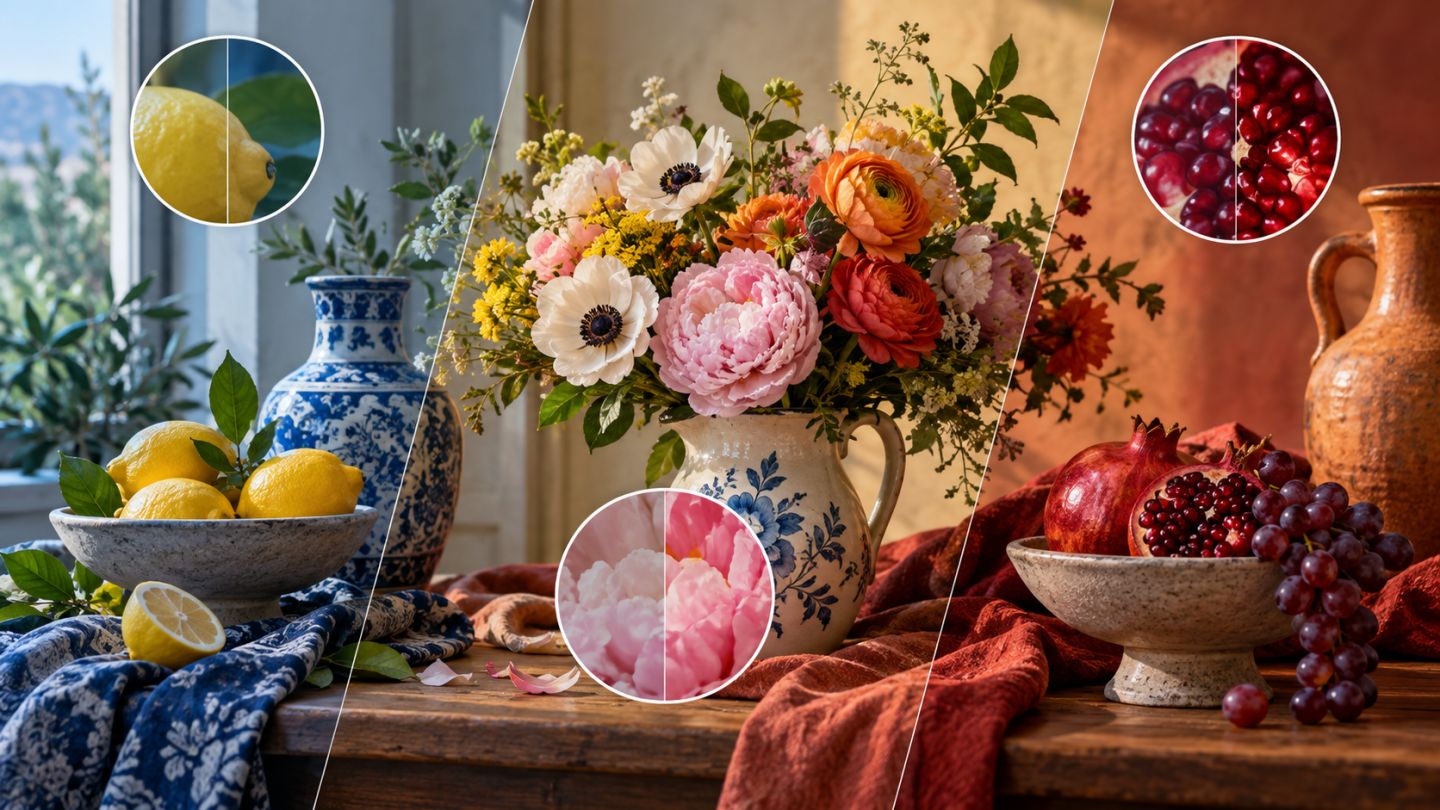
These Adjustment Layers change color in different ways. Hue/Saturation shifts color families and intensity, Color Balance targets tonal regions, and Selective Color changes color components within named ranges.
Choose the right adjustment
| Tool | Use it for |
|---|---|
| Hue/Saturation | Changing an object color or modifying one color range |
| Color Balance | Correcting casts or grading shadows, midtones, and highlights |
| Selective Color | Fine control over reds, yellows, neutrals, blacks, and other groups |
Target Hue/Saturation
Choose a color range instead of Master when only one color needs work. Use the eyedropper and range controls to protect skin or background colors. Watch for flattened detail when saturation becomes excessive.
Balance tonal regions
Color Balance separates Shadows, Midtones, and Highlights. Small moves are often more convincing than large ones. Preserve Luminosity can limit unintended brightness changes, but always compare the layer on and off.
Finish with Selective Color
Use Selective Color to make reds less orange, foliage less yellow, or neutrals cleaner. Relative generally produces gentler proportional changes; Absolute is stronger.
Color workflow
- Correct white balance and tone first.
- Identify the color problem.
- Give each Adjustment Layer one purpose.
- Constrain it with a mask or color range.
- Check skin, neutrals, and clipping.
- Group color layers for one-click comparison.
Common mistakes
- Oversaturating the entire image.
- Stacking unnamed layers that solve the same problem.
- Grading before correcting exposure.
- Ignoring the destination display or profile.
Good grading builds coherent color relationships; it does not need to make every color stronger.
Practice exercise
Use a still life with three colors. Change one object with Hue/Saturation, balance light and shadow with Color Balance, and clean neutrals with Selective Color. Keep every goal on a separate layer.

No comments yet. Be the first to share your thoughts.