
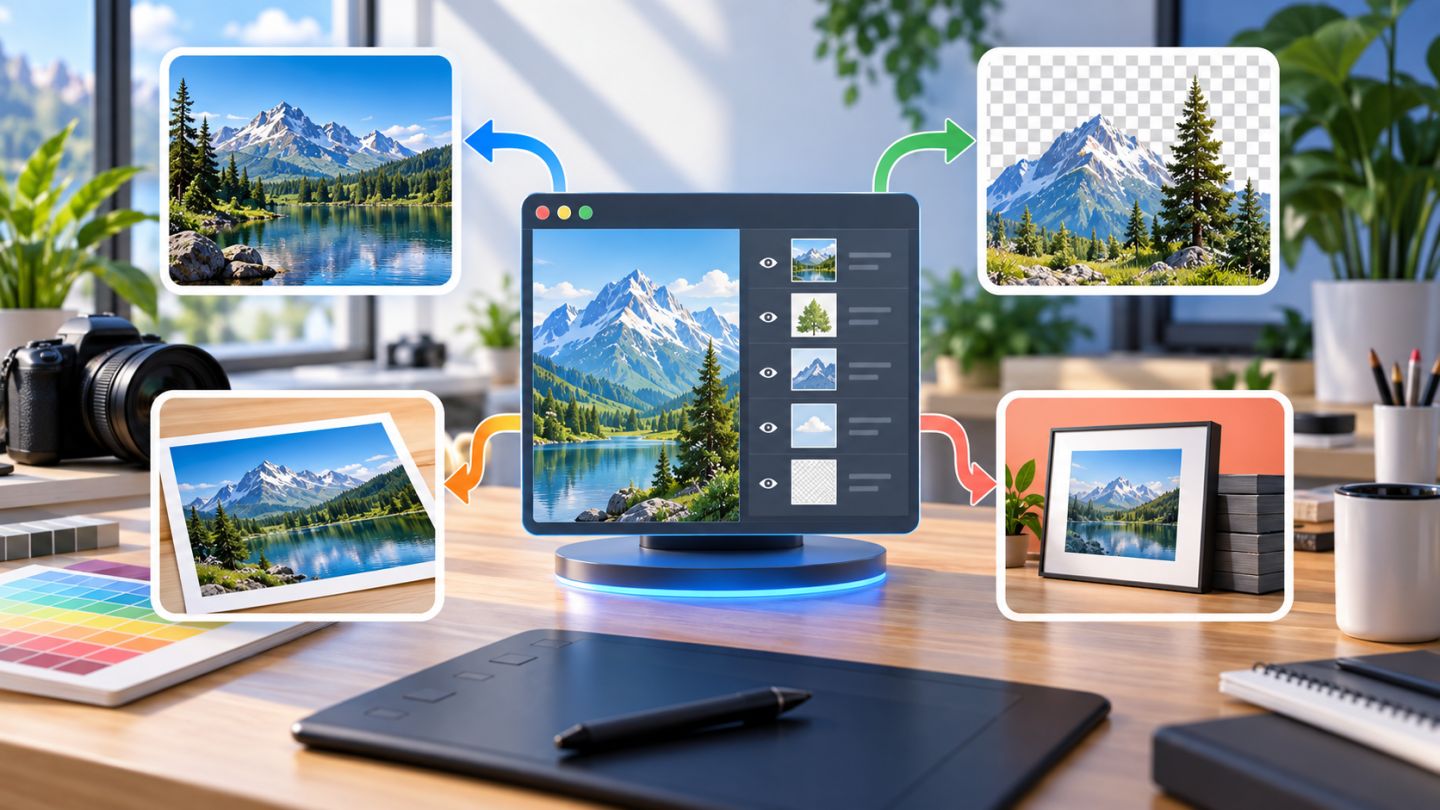
No image format is best for every situation. An editable document must preserve layers and masks, a website image must load efficiently, and a print handoff may prioritize quality and color information.
A safe workflow normally keeps at least two files: an editable master and a purpose-specific deliverable.
PSD: the default working file
PSD preserves Photoshop features including layers, masks, effects, editable text, and Smart Objects. Use it for active projects, templates, and editable handoff.
PSD commonly supports files up to 2 GB. Use Large Document Format, or PSB, when a Photoshop document exceeds that limit.
JPEG: efficient for photographs
JPEG uses lossy compression. Lower quality creates a smaller file but introduces more visible artifacts.
- Good for photographs and web covers without transparency.
- Does not preserve layers or transparent backgrounds.
- Repeated editing and overwriting causes additional quality loss.
PNG: lossless with transparency
PNG uses lossless compression and supports alpha transparency. It is useful for raster logos, interface graphics, icons, and product cutouts. Photographs often produce much larger PNG files than JPEG or WebP.
TIFF: flexible professional exchange
TIFF is widely supported by image and page-layout applications. It can use lossless compression and suits high-quality archival or print workflows. It may preserve layers depending on settings, but confirm compatibility with the recipient.
Quick decision table
| Need | Suggested format | Reason |
|---|---|---|
| Continue editing | PSD | Preserves layers, masks, and text |
| Photoshop document over 2 GB | PSB | Supports very large files |
| Web photograph | JPEG/WebP | Efficient compression |
| Transparent graphic | PNG/WebP | Alpha transparency |
| High-quality print exchange | TIFF | Broad support and lossless options |
Save, Save a Copy, and Export
- Save updates the working file.
- Save a Copy creates another format without replacing the master.
- Export As/Quick Export creates distribution assets with size and format controls.
Interface details may change, but the principle remains: save the editable master first, then export copies for each channel.
Use clear versions
campaign-banner_v01.psd
campaign-banner_v02-review.psd
campaign-banner_v03-approved.psd
campaign-banner_web-1440x810.jpg
Pre-export checklist
- Confirm pixel dimensions and aspect ratio.
- Check the color profile, commonly sRGB for web.
- Inspect compression and transparency edges at 100%.
- Remove sensitive metadata when appropriate.
- Reopen the deliverable to verify compatibility.
- Keep the PSD master and original assets.
Practice exercise
Create a document containing a photo, text, a mask, and an adjustment layer. Save the PSD master, then export a high-quality JPEG, a smaller JPEG, and a transparent PNG. Compare file size, quality, and editability.

No comments yet. Be the first to share your thoughts.